Selling
- Fast point of sale that takes cash, card, transfer or pay-later
- Sales invoices, including credit invoices
- Proformas — price quotations that do not touch stock
- Sales returns that put stock back safely
HelMed 1.0.0 · Windows desktop
HelMed runs your pharmacy — point of sale, batches and expiry, suppliers, client accounts, reports — on your own computer, with your own database, with or without internet. Then it does the work your current system leaves you: reading supplier invoices, showing you the shop from your phone, and keeping a copy of your data off the premises.
The difference
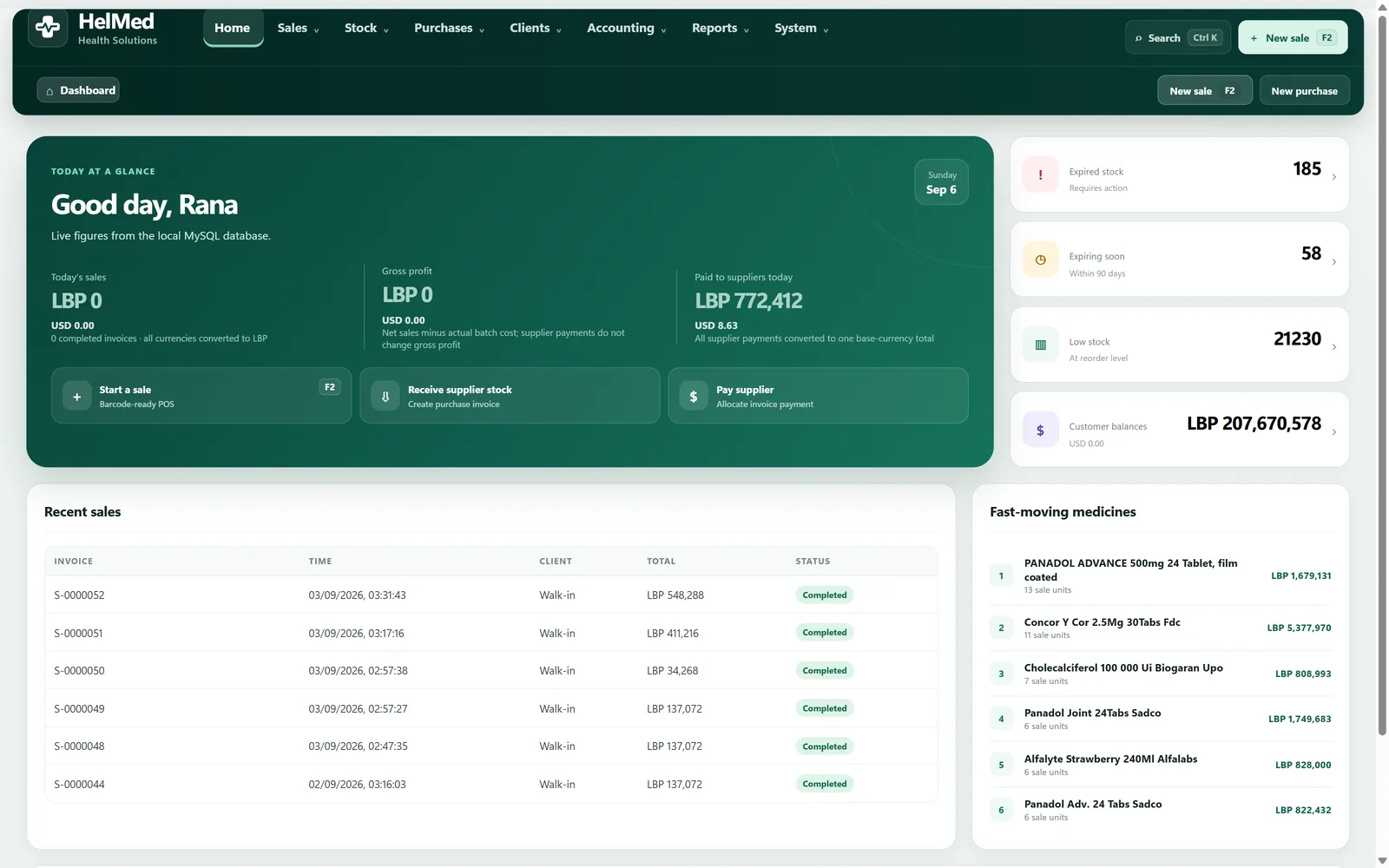
Local database, the Ministry catalogue, lira and dollars, batches and expiry — you should expect all of that, and HelMed does all of it. These are the parts you do not have today.
Photograph a supplier invoice with your phone. HelMed reads it and lays the lines out on the desktop — product, quantity, cost, lot number, expiry — for you to check and confirm before anything touches your stock.
You confirm every invoice before it is posted — the reading is done for you, the decision stays yours. Invoices are read between 8am and 2pm, up to 150 a month. Everything else in HelMed works at any hour, online or not.
A mobile application connects to your system and shows the dashboard, your stock alerts and your reports — today’s sales, what is running low, what is about to expire. Useful on the days you are not standing behind the counter.
Selling, stock and invoicing stay on the desktop. The phone shows you what is happening; it does not run the pharmacy.
Local backup protects you from a mistake. Server backup protects you from the building — a fire, a theft, a failed disk. Your working database stays on your own machine either way; the server copy is there for the day the machine is not.
Included with Standard + AI. Standard includes local backup and restore.
Your products, stock, suppliers and client balances come out of your current Lebanese pharmacy system and into HelMed. For a pharmacy switching across, we do not charge for it.
Years of history is the reason most pharmacies stay with software they have stopped liking. It should not be.
What it does
Twenty-seven modules, grouped into the six things you actually do in a day. All of it works with the internet disconnected.
Built for Lebanon
None of this should be a surprise in a Lebanese pharmacy system, and none of it is a reason on its own to change software. It is here so that switching costs you nothing you already rely on.
10,819
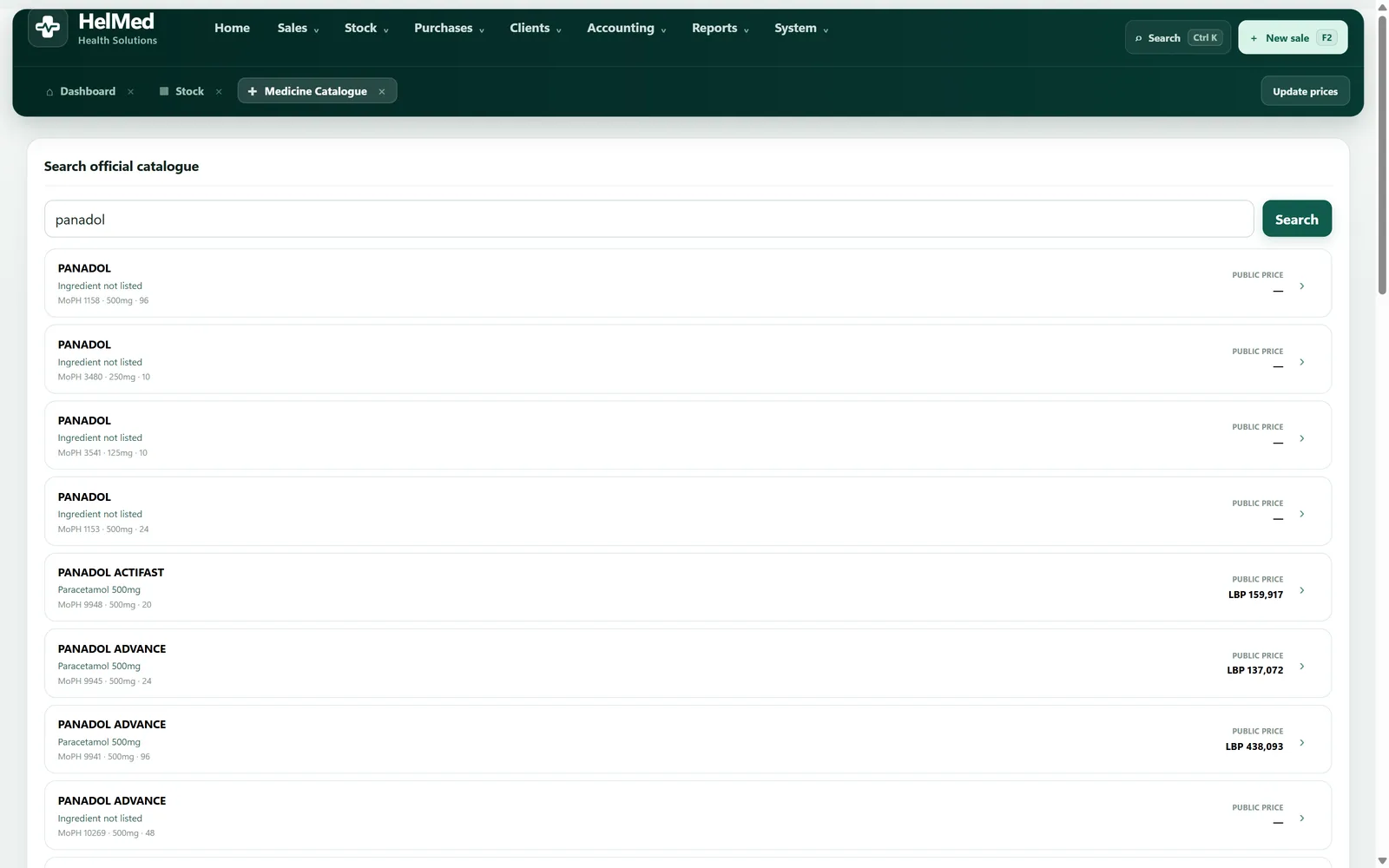
Ministry of Public Health medicines, marketed and non-marketed, already in the databaseHelMed ships with the Ministry of Public Health medicine list and keeps public prices synchronised. Updates are written straight into your database. You do not type a medicine catalogue by hand, and you do not chase price changes on paper.
HelMed uses the Ministry’s published price list. It is not endorsed, approved or certified by the Ministry of Public Health.
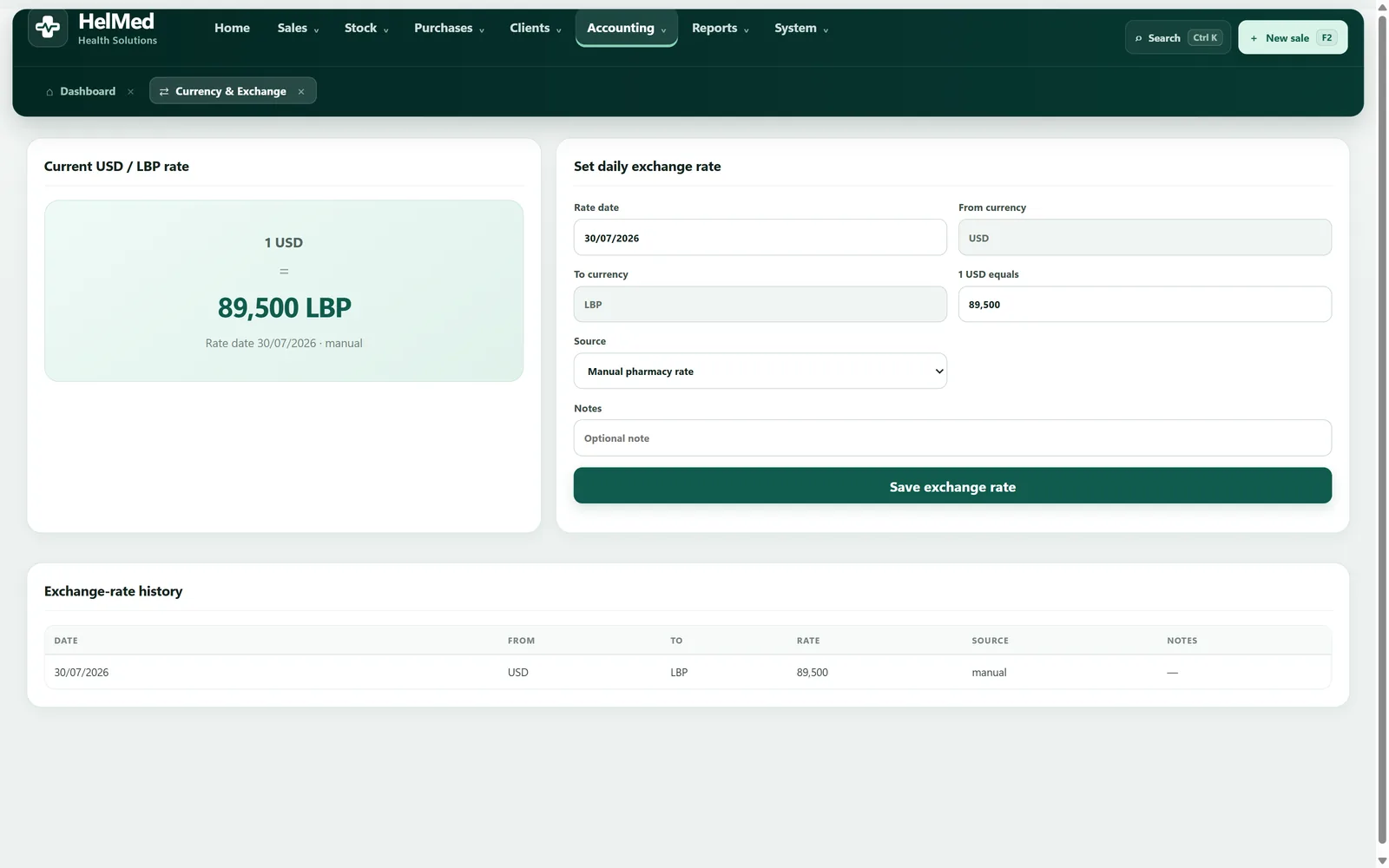
Every amount is handled in both LBP and USD against a daily exchange rate, and the rate history is kept. Purchases can be entered in the supplier’s currency and are converted correctly for pricing and for reporting — so your profit figures mean something.
Receive stock by the box and sell by the unit. Split-pack selling with unit conversions means you can hand over a single sachet and the numbers stay right — in stock, in cost, and in the report.
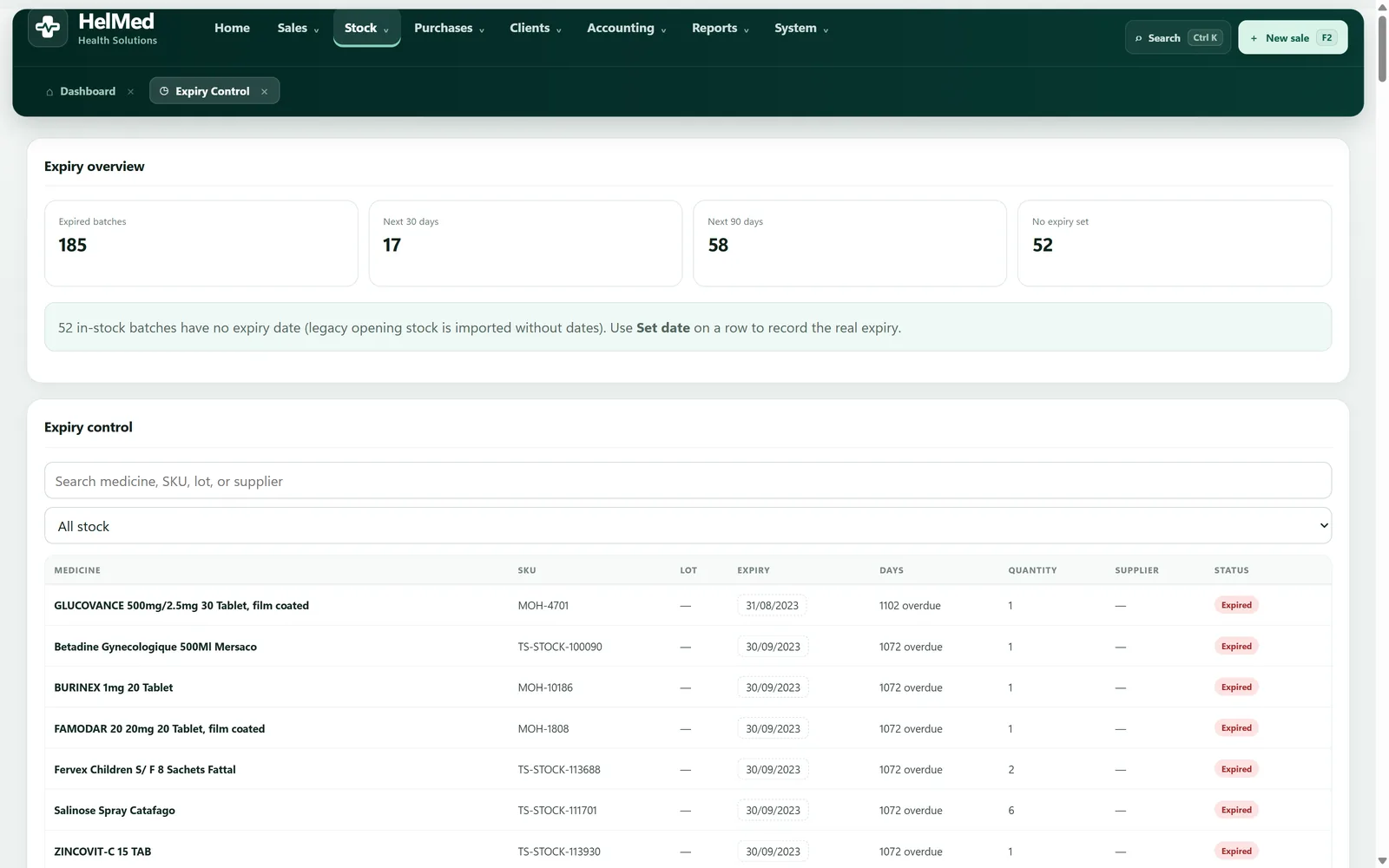
Every unit carries its batch, lot number and expiry date. Sales take the earliest-expiring stock first, and you see what is about to expire before it costs you money.
Medicines with no official public price are priced automatically from their actual purchase cost, using your pharmacy’s markup. Items do not sit on the shelf with a price of zero.
Receipt and report printing for the documents a pharmacy hands over every day. Both receipts and reports print Arabic text.
How it works
Run the signed installer as administrator. Every component — the application runtime, the database engine, the Microsoft runtimes — is inside the package, and the installer checks each one by SHA-256 before it writes a single file. Nothing is downloaded.
Already running older Lebanese pharmacy software? Products, stock, suppliers and client balances can be migrated in. Starting clean is faster still — the Ministry catalogue is already there, so you add your own products, prices and shelf locations and you are ready.
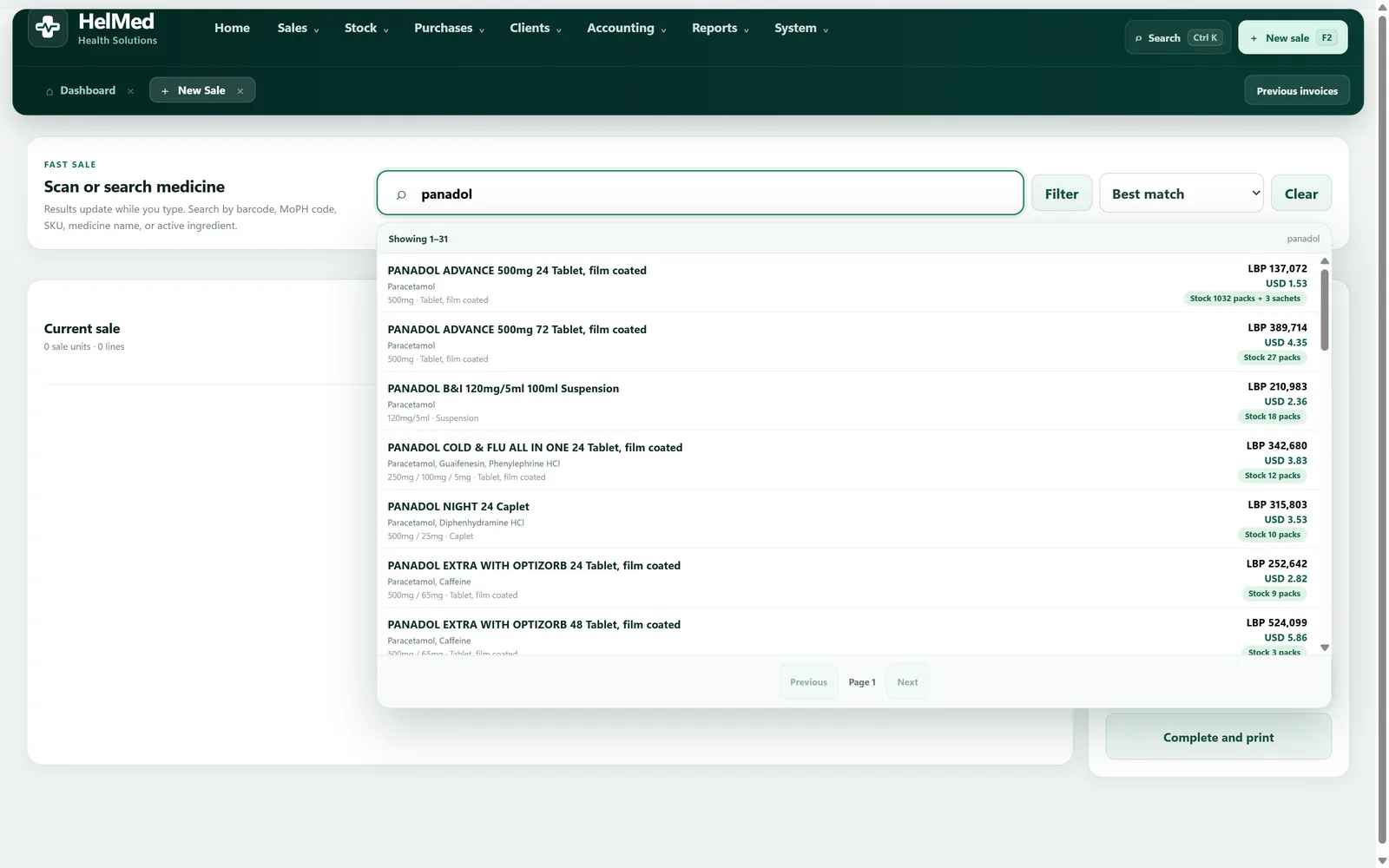
Scan or search, take cash, card, transfer or pay-later, and print. The sale draws from the earliest-expiring batch, converts between lira and dollars at today’s rate, and lands in the reports immediately.
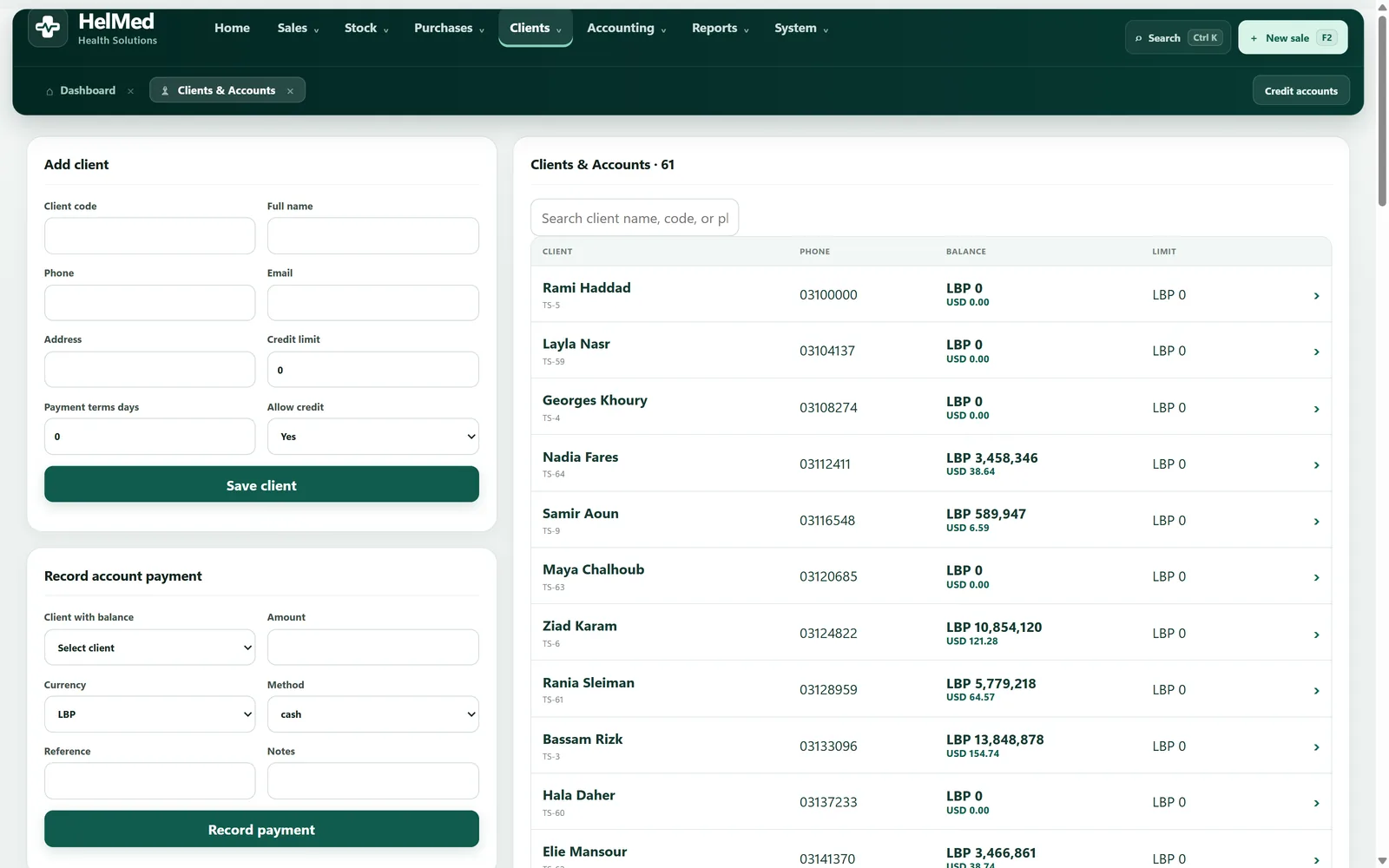
Screens
Getting it
HelMed is not a public download. Once your licence is settled we email
your installation package — HelMed_Setup_1.0.0.exe
together with a Resources folder, around
320 MB, with every component bundled
inside it.
HelMed_Setup_1.0.0.exe and the Resources folder together.The same installer upgrades an existing installation in place and preserves your database, your backups, your uploads and your settings. An update does not start you over.
Every download link we email comes with the SHA-256 checksum of that exact package — a fingerprint of the file we built. Run it against the file you received and the values should match exactly. If they do not, do not install it — call us. The installer also verifies every bundled component by SHA-256 as it runs, and refuses to install if anything is missing or altered.
Pricing
Updates are included in both. The whole pharmacy system is in both. The difference is whether HelMed reads your supplier invoices and keeps a copy of your data off the premises.
The complete pharmacy system, running on your own computer.
$700 per branch, per year
Everything in Standard, and it stops you typing invoices.
$800 per branch, per year
One hundred dollars a year more than Standard, and the same as most pharmacies already pay for software that does neither.
Ask about Standard + AIInstallation, bringing your products, stock, suppliers and client balances across, and showing your staff how to use it. For a pharmacy switching from another Lebanese system, all of it is free.
More than one branch? Each additional branch is $200 a year.
A branch licence covers HelMed on up to two computers in that branch. Updates are included, and we answer by phone and WhatsApp Monday to Friday, 9am to 5pm, in Arabic, English or French.
Questions
No. HelMed installs on your computer with its own private MySQL database on that machine. The records are yours and they stay where you can reach them. There is no subscription that can switch off access to your own history.
Yes, completely. Selling, stock, invoices, client accounts, printing and reports all run with no connection at all. The internet is used only for optional services: licence activation, Ministry price synchronisation, phone invoice capture, server backup, the mobile app and AI invoice reading.
No. The Ministry of Public Health list is already in the database — 10,819 medicines, marketed and non-marketed — and public prices are kept synchronised. You add your own products, barcodes, shelf locations and selling prices on top of it.
Yes. Every amount is handled in LBP and USD against a daily exchange rate, and the history of that rate is kept. Purchases can be entered in the supplier’s currency and are converted correctly for pricing and reporting.
Pharmacies already running older Lebanese pharmacy software can have their products, stock, suppliers and client balances migrated in. Talk to us before you install and we will look at what you have.
Migration costs nothing when you switch to HelMed. Send us a copy of your current system’s data first and we will tell you exactly what can be brought across before you commit to anything.
An annual licence per branch, updates included. Standard is $700 a year. Standard + AI is $800, which adds AI invoice reading and server backup. If you are moving from another system, setup and migration are free. See pricing.
We do. Call or WhatsApp us on +961 81 709 886, Monday to Friday, 9am to 5pm, in Arabic, English or French. A photo of the screen showing the problem helps us fix it faster; the support page lists what else to send.
HelMed includes backup and restore for the local database, so you can take copies of your data and put them back on a working machine.
Server backup goes further: a copy is kept off the premises, so a fire, a theft or a dead disk does not take your records with it. It is included with Standard + AI.
We recommend a local backup at the end of every working day, saved to a USB drive that does not stay next to the computer. HelMed also takes a safety copy by itself before every restore. Server backups are stored encrypted; to get one back, call or WhatsApp us.
Yes. Each employee gets their own account, and roles control what each of them can see and do.
A branch licence covers HelMed on up to two computers in that branch.
Yes. The licence is issued per branch, and device status is tracked against it. Each additional branch is $200 a year on top of your first licence.
Each branch runs HelMed on its own computers with its own database, so a branch keeps selling even when the internet is down.
No. The same installer upgrades an existing installation in place and preserves the database, backups, uploads and settings.
Yes. A companion mobile application connects to your HelMed system and shows you the dashboard, your stock alerts and your reports, so you can see how the pharmacy is doing without being there.
It is a window onto the system, not a second copy of it. Selling, receiving stock, invoicing and accounts all stay on the Windows desktop, where your database lives. A phone is also used for photographing a supplier invoice so you can review it on the desktop.
The mobile app comes with both Standard and Standard + AI. We send it to you ourselves and set it up on your phone with you; you sign in with your pharmacy code and your own HelMed username.
Contact
Tell us what you are running now and how many branches you have, and we will tell you plainly whether HelMed fits.
Based in Beirut, serving pharmacies across Lebanon. Installation and support are done online.